Overview
albums is an interactive tool to manage music: validate and fix tags and
metadata, rename files, adjust and embed album art, import albums, and sync
parts of the library to digital audio players or portable storage.
This documentation is for albums version 0.9.32.
License
albums is free software, licensed under the terms of the
GNU General Public License Version 3
Getting started
Installation Option 1: In an environment with Python 3.12 or newer, run
pipx install albums
Installation Option 2 (64-bit Linux and Windows only): Download the binary release for your platform from GitHub releases. On Windows, run the installer, which adds albums to your PATH; on Linux, extract the contents to a folder and add that folder to your PATH.
You can watch this video about how to use albums.
Each album (soundtrack, mixtape...) is expected to be in a folder, or albums
won't be helpful.
To immediately start scanning for issues in a single album or a few albums, with
default settings, run: albums --dir /path/to/an/album check. Add --fix at
the end to see repair options or --help for more choices. Using the --dir
(or -d) option, no data is stored between runs.
albums can store information about a library of music in its database. Run
albums init to get started. It may take several minutes to index a large
collection. Configuration settings are also stored in the database and can be
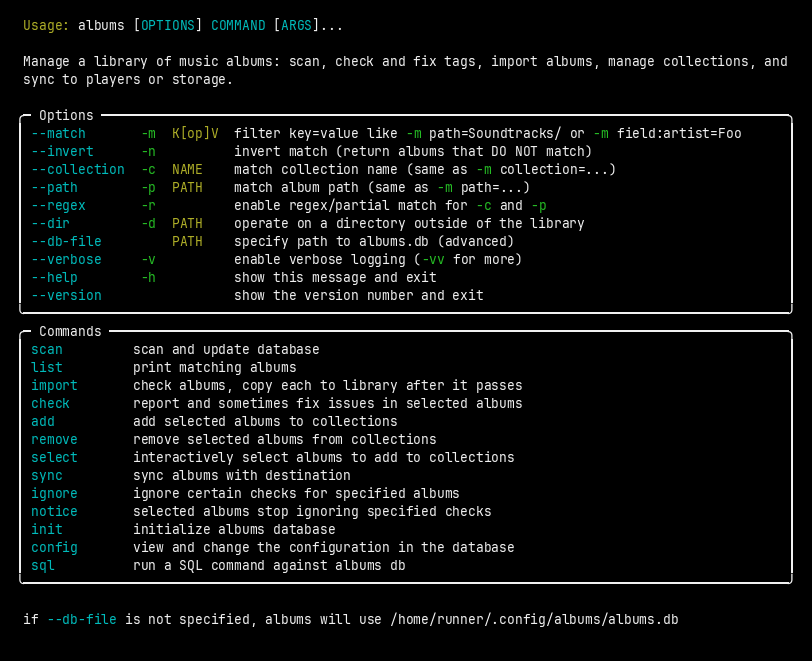
customized by running albums config. See Usage.
Supported Formats
FLAC, Ogg Vorbis, MP3/ID3, M4A, ASF/WMA and AIFF containers/types are supported with standard tags. ASF/WMA embedded image support is read-only. Image files (PNG, JPEG, GIF, BMP, WEBP, TIFF, etc) in the album folder are scanned and can be automatically converted and embedded.
System Requirements
Installation via pipx requires Python 3.12+ and should work on almost any 64-bit x86 or ARM system with Linux, macOS or Windows.
Binary releases for 64-bit Linux or Windows do not have any Python requirement. The Linux binary requires glibc 2.38, meaning recent distributions such as Ubuntu 24, Debian 13 (Trixie), Fedora 39 and Arch Linux. (Use the regular package to install on older distributions.)
albums is primarily tested on Linux and Windows.
Risks
This software has no warranty and I am not claiming it is safe or fit for any purpose. But if something goes very wrong, you can simply restore your backup. By using this software, you voluntarily assume the risk that it might:
- overwrite correct tags with incorrect info, or rename files incorrectly, etc, depending on configuration, use or bugs.
- create a vector for malware living in media file metadata to attack your computer via hypothetical vulnerabilities in libraries or your OS.
- corrupt files while changing tags due to hypothetical Mutagen bugs.
- make incomplete copies of albums if there are bugs in the sync code.
- delete entire directory trees if you use the
synccommand incorrectly — with--deleteand confirmation, or with--force.- Even if you set the correct
synclocation, the--deleteoption could delete files from your digital audio player that you wanted to keep.
- Even if you set the correct